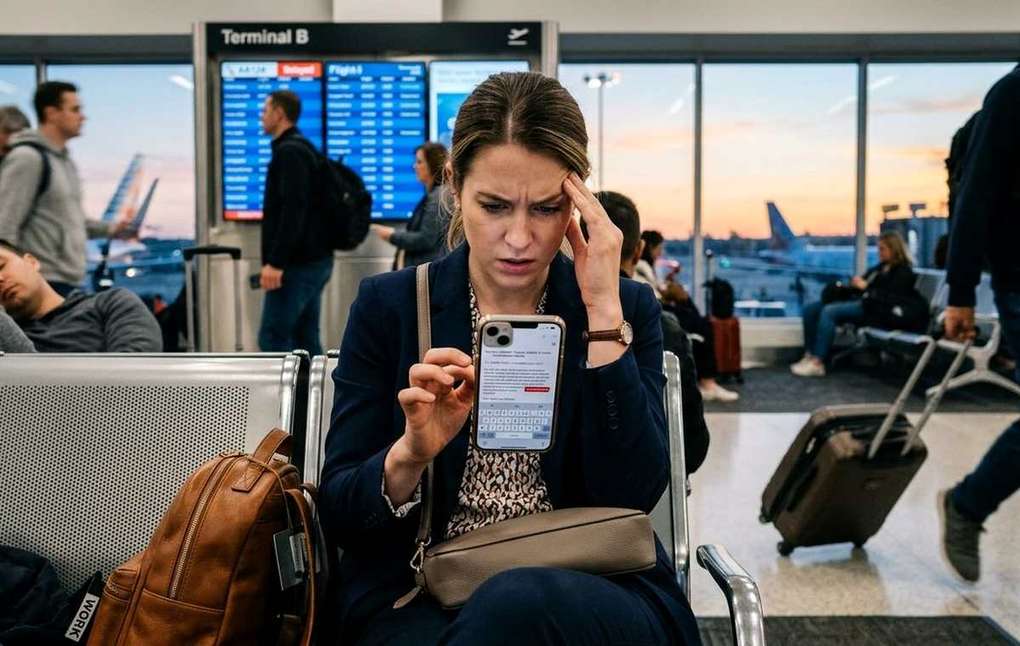
Summary of Writing Better Work Emails on a Phone is Harder Than it Looks
- Writing professional emails on your phone is harder than it looks.
- You fire off a reply between meetings, tap send, and move on.
- A desktop email client gives you space, literally and mentally.
You fire off a reply between meetings, tap send, and move on. Two hours later, a colleague writes back asking if everything is okay. You re-read your message. It reads like a terse command from someone who barely has time for them. Not what you meant at all. This is one of the most common mobile productivity problems nobody talks about openly, and it costs real professional goodwill. Writing work emails on a phone sounds simple. In practice, it is anything but.
The gap between a fast mobile reply and an accidentally rude one is smaller than you think.
- Short messages on small screens often lose warmth without the writer realizing it.
- Autocorrect changes words in ways that shift meaning and register without any warning.
- A few deliberate habits, and the right tools, make mobile email feel far less risky.
Why Small Screens Create Big Misunderstandings
A desktop email client gives you space, literally and mentally. You can see the original message in full, draft a reply in a wide text box, and step back before sending. On a phone, everything is compressed. The original thread is often hidden above a tiny compose window. Your thumbs are covering half the keyboard. You are probably doing this while walking, waiting for something, or sitting in a room full of distractions.
That pressure shapes how you write. Sentences get shorter. Pleasantries get cut. You type the core point and stop. The result is functional, but it can read as cold or impatient to someone who does not know what state you were in.
Text-based communication has always had this problem. Tone is notoriously harder to read in written messages than in person, where vocal cues, facial expressions, and body language soften meaning and signal intent. When you strip a message down to its bare essentials on a phone screen, you remove almost every element that would make it read as warm rather than demanding.
The Curtness Trap
What this means for Writing Better Work Emails on Phone
There is a real phenomenon behind accidental coldness. In person, someone who says "got it, thanks" while making eye contact feels attentive and friendly. The same words in an email can feel dismissive. Context does heavy lifting in spoken communication, and email drops most of it.
On a phone, the problem compounds. You are more likely to reply to just the last thing someone said, rather than engaging with the whole message. You abbreviate greetings and sign-offs because typing them on a touchscreen feels tedious. The cumulative effect is a message that the recipient reads as clipped, even if your intention was simply efficiency.
The person on the other end fills in the gap with assumptions. If they were already uncertain about a project or their standing with you, a short message lands harder than you intended. Professional relationships require ongoing signals of engagement, and mobile email systematically strips those signals out.
Autocorrect: The Uninvited Co-Author
Autocorrect is supposed to help. It catches typos, fixes capitalization, and completes common words. But it also substitutes words you did not choose, sometimes with results that shift meaning entirely. You write "I think this is fine" and it becomes "I think this is finer." You write "Let's circle back" and it becomes "Let's circle bark." Some substitutions are obviously absurd. Others are subtle enough that you miss them before hitting send.
Built on statistical prediction,autocorrect guesses the word you most likely intend based on surrounding text and past behavior. That means it learns your habits, including your casual ones. If you often type an informal word in a particular sentence position, autocorrect keeps suggesting it even in formal contexts where it does not belong.
The result is a kind of double unreliability. Your message might say something you did not mean, and it might say it in a register you did not intend. A word that is slightly too casual can shift the entire feel of an otherwise professional email.
The Tone Problem That Most Writers Miss
Here is the tricky part. You can re-read your mobile draft three times and still miss a tone problem. When you wrote the message, you heard it in your own voice, with your own intentions behind it. You cannot un-know what you meant, which makes it very hard to hear how it actually sounds to someone else.
This is where a tone checker genuinely earns its place in a mobile workflow. The idea is straightforward: paste your draft in before sending it. The tool analyzes the language and tells you whether the message is reading as confident, apologetic, aggressive, or dismissive. It gives you an outside perspective that your own re-reading simply cannot replicate.
It sounds like extra effort. In practice, it takes about thirty seconds, and it has stopped more than a few people from sending something that would have required a follow-up apology. The value is highest on messages that matter: replies to clients, requests to senior colleagues, feedback to teammates, anything where tone shapes the response you get back.
Making Space for Email in Your Week
One root cause of bad mobile email is the habit of treating it as something you handle constantly, in stolen moments, rather than something you block real time for. When email is an always-on reactive task, you process it on your phone because your phone is always with you. You handle it fast, because you are always in the middle of something else.
Building a different habit means scheduling actual email time. Not notifications, not occasional glances, but a deliberate block where you sit down, open your client, and work through your inbox. Printed monthly calendars work well here, not as a productivity gimmick, but because a physical view of your month lets you mark those sessions without relying on a phone calendar that buzzes and distracts you mid-task. You can hold those blocks against competing requests and actually protect the time.
When email time is scheduled and respected, you write fewer rushed mobile replies. You handle the important threads at a desk, where you have room to think. The phone becomes a place to triage and flag, not to compose anything that really matters.
Habits That Actually Improve Mobile Email
Getting better at mobile email is less about any single tool and more about a small set of consistent practices. The ones that make the most difference:
- Delay important replies. Flag the message and come back to it when you have proper time. Not everything needs an immediate response.
- Use saved phrases. Most email apps let you store canned responses. A friendly opening line or a warm sign-off, saved and insertable, adds warmth without extra typing.
- Review before the screen dims. Train yourself to read every sent message as the recipient will, one last pass before tapping send.
- Draft in notes first. For anything sensitive or complex, write it in a notes app where the stakes are lower, then paste it into the email.
- Protect your greeting and sign-off. These two elements carry significant tone weight. If you are skipping them entirely on mobile, that is the first thing to fix.
None of these require new software or a productivity system overhaul. They just require intention, which is exactly what the pressure of a small screen tends to defeat.
What Your Phone Is Actually effective at in Email
To be fair, the phone is not useless for email. It is excellent for triaging: flagging messages that need attention, marking things as unread to return to later, and sending brief confirmations where brevity is appropriate and expected. "Confirmed for Thursday" is perfectly fine to send from a phone. A detailed project update with feedback on three deliverables is not.
Knowing the difference is half the battle. The phone should be your email scanner and your confirmation machine, not your primary composition tool for anything that carries professional weight.
Sending From a Small Screen Without Leaving the Wrong Impression
The goal is not to stop using your phone for email. That is unrealistic. The goal is to stop letting the constraints of the phone degrade the quality of your professional communication without you noticing.
That means slowing down slightly on messages that matter, running a tone check before you send anything you are even slightly uncertain about, scheduling real email time in your week so the phone is not the only place important correspondence gets handled, and building small habits that compensate for what touch typing and a tiny screen naturally strip out.
The people who are best at mobile email are not faster typists. They are more deliberate about what they send from their phone and what they save for later. That small distinction makes a significant difference in how their messages land, and in how their professional relationships hold up over time.