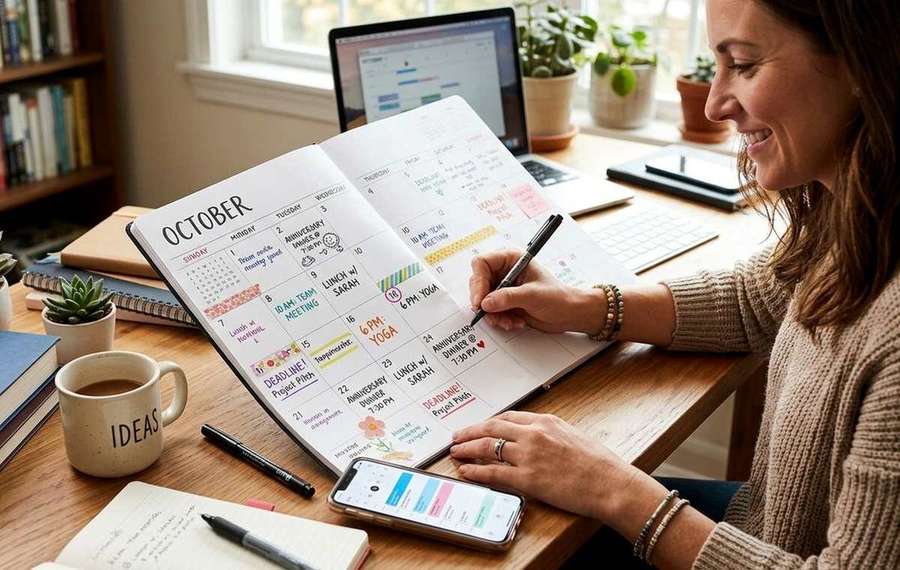
Summary of The Case for Keeping a Physical Calendar Even if You Live on Your Phone
- Power smartphone users swear by their devices — but a paper calendar cuts notification fatigue and boosts follow-through.
- You have widgets, smart notifications, color-coded Google Calendar layers, and a lock screen showing your next three appointments.
- Here is the uncomfortable truth for power users: your phone is optimized to grab your attention, not protect it.
You have widgets, smart notifications, color-coded Google Calendar layers, and a lock screen showing your next three appointments. Your phone is a scheduling high-performance phone. And yet, somehow, that dentist appointment still slipped. That project milestone got pushed again. Tuesday just sort of disappeared. The problem is not your calendar app. The problem is the environment your calendar lives in.
Key Takeaways:
- Notification overload degrades your ability to prioritize, even when you use great apps
- A printed week view keeps your schedule visible without requiring you to unlock anything
- Cognitive offloading research confirms that externalizing plans frees up mental bandwidth
- The hybrid approach, one paper grid paired with your digital tools, beats either system alone
- A free, printer-ready weekly planner takes about 30 seconds to set up and costs a single sheet of paper
Your Phone Is a Notification Machine First, a Calendar Second
Here is the uncomfortable truth for power users: your phone is optimized to grab your attention, not protect it. Every time you open your calendar app, you pass through a gauntlet. A text notification. A breaking news banner. A badge count on your email. By the time you have registered your 2pm call, your brain has already processed four other inputs it did not ask for.
This is not a willpower problem. It is a design problem. Calendar apps live inside an attention economy, and that economy has no interest in helping you focus on Thursday's deadline. Smartphone platforms are built to maximize engagement, which means every trip to your schedule is also an invitation to get sidetracked.
A physical calendar does none of that. It sits on your desk. It does not buzz. It does not badge. It just shows you the week.
What Cognitive Offloading Actually Means for Scheduling
What this means for Case for Keeping Physical Calendar Even
Psychologists use the term cognitive offloading to describe the way humans use physical objects to extend their mental capacity. Writing something down is not just a backup copy of a thought. It is an act that transfers the burden of remembering from your working memory to the external world, freeing your brain to think rather than store.
When your week is printed out and taped to your monitor, your brain stops running a background process to track what comes next. You glance at the grid, your visual cortex registers the shape of your week in about half a second, and you move on. No unlocking. No swiping. No accidental detour into Instagram.
This is why the hybrid model, digital tools for capture and sync, paper for daily reference, tends to outperform either approach alone. You get the convenience of cloud-based scheduling and the low-friction clarity of a static visual.
The Specific Problem With Multi-Day Tasks
Single-event scheduling is where apps genuinely shine. Block a meeting, set a reminder, done. But multi-day tasks are where digital calendars consistently fall apart for most users. A project that runs Tuesday through Friday does not fit neatly into a one-hour block. It requires you to hold a shape in your mind across several days, and that shape is very hard to see when your calendar is a vertical list of time slots.
Paper solves this at a glance. When you write "draft report" across three days in a physical grid, you can literally see the span of time that work occupies. You see what it bumps up against. You see the white space, and you know whether it is genuinely free or just unlabeled.
Multi-day projects fail not because people forget to do them, but because people underestimate how much of the week they actually consume. A printed week view forces that reckoning.
A Practical Setup That Takes Less Than a Minute
You do not need a Moleskine. You do not need a fancy system. Here is the entire process:
- Print one week-on-a-page grid. A standard weekly planner layout fits on a single A4 or letter-size sheet and gives you seven columns with enough space to write two or three things per day.
- Transfer only your anchor commitments. Meetings, deadlines, calls. Not every micro-task.
- Write your top three priorities for the week somewhere visible on the page. Not ten. Three.
- Pin it where you actually work, not inside a notebook you will forget to open.
- At the end of the week, spend two minutes migrating anything unfinished to next week's sheet before you recycle it.
That is the whole system. You are not replacing your phone. You are giving your brain a low-stimulus reference point that does not require you to enter the attention economy every time you need to check what you are supposed to be doing.
Why Power Users Specifically Benefit From This
It sounds counterintuitive, but the more fluent you are with your phone, the more you benefit from a paper fallback. Here is why: heavy smartphone users are more likely to context-switch frequently, more likely to have multiple apps open, and more likely to be interrupted mid-task. That fluency is an asset, but it also means your brain has become accustomed to rapid mode-switching, which makes sustained focus harder over time.
A paper calendar breaks that loop. It is not interactive. You cannot edit it with a tap. That rigidity is the feature. When the only input device is a pen, you slow down, you prioritize, and you commit to what actually matters this week.
Research consistently shows that people who write plans by hand are more likely to follow through on them than people who type the same information. The act of writing is slower and more deliberate, and that deliberateness creates a stronger mental imprint.
What the Paper Calendar Does Not Replace
To be clear: no one is suggesting you abandon your phone's calendar.
- Recurring events that sync across devices should stay digital
- Shared calendars with colleagues or family should stay digital
- Reminders for time-sensitive items, like medication or flight check-ins, should stay digital
- Travel and booking confirmations need to live in your inbox or app where you can search them
The paper grid handles one job: giving you a weekly overview that your brain can absorb without a screen. That is a narrow job. It does it better than any app currently on the market.
The Week You Can See Is the Week You Control
There is a version of productivity culture that treats paper as nostalgia, a retreat for people who cannot handle modern tools. That framing gets it backwards. For anyone managing a dense schedule on a powerful device, the paper calendar is the advanced move. It is the choice to stop letting your scheduling tool compete with your attention for the same real estate.
Print one sheet. Write in three priorities. Put it where you work. Keep your phone for everything it does well. The week you can see without unlocking anything is the week you are actually in charge of.