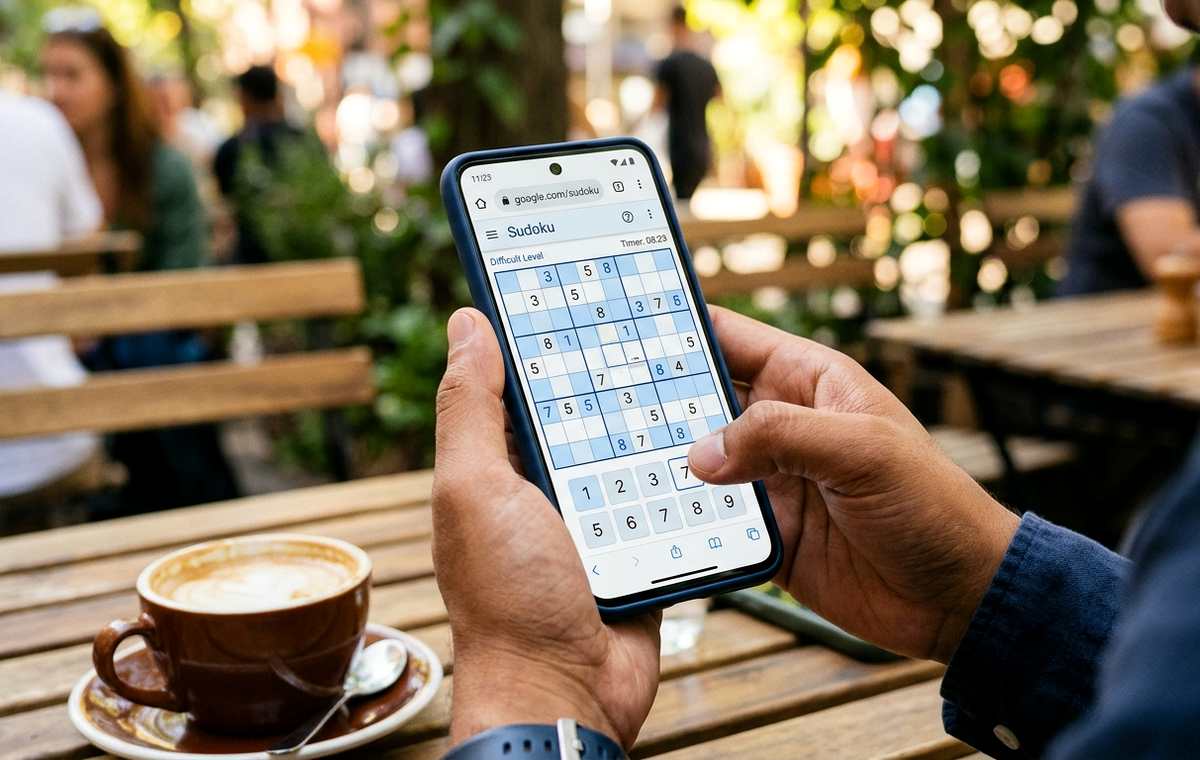
Summary of How to Play Sudoku on Your Phone Without Installing an App
- Play Sudoku on your iPhone or Android browser without installing an app.
- Your phone is nearly full, you have a few minutes to spare, and another game download feels unnecessary.
- Your Browser Is Enough: Open a mobile-friendly Sudoku game, choose the easiest difficulty, and use its on-screen number controls.
Your phone is nearly full, you have a few minutes to spare, and another game download feels unnecessary. Browser Sudoku fits that moment. Open a puzzle in your usual browser, choose an easy board, and start tapping numbers. You can skip an app installation and choose a game that lets you play without creating an account or granting access to your phone’s features.
Your Browser Is Enough: Open a mobile-friendly Sudoku game, choose the easiest difficulty, and use its on-screen number controls. Basic play should not require an account, notifications, or access to your location. You avoid installing a separate app, although your browser may still save temporary files and puzzle progress. Start with nearly complete rows, check every number against its column and box, and keep the puzzle tab open if you plan to return.
Start a Puzzle in Your Phone’s Browser
Open Safari on your iPhone or your usual browser on Android. You do not need a special gaming browser. A familiar one makes it easier to find bookmarks, adjust page size, and return to an unfinished puzzle.
Before you play Sudoku online, spend a moment learning how rows, columns, and boxes work. The linked guide explains those basics and provides a route to easy puzzles. Choose a standard beginner grid for your first attempt. Extra rules and unusual board shapes can wait.
Look for an Easy or Beginner setting. If a timer appears, treat it as background information. Your first goal is to understand each placement. Finishing slowly with clear reasoning teaches you more than tapping through a board with repeated hints.
If a website presents an account screen, check whether ordinary play is available without signing in. Accounts may support optional features, but you do not need one to understand or solve Sudoku. Choose another browser game if registration blocks the experience you want.
Understand What “No Installation” Means for Storage
Playing in a browser avoids downloading a separate game app. That removes one item from your app library and avoids the storage needed for that app’s installation. It does not mean the session uses absolutely no storage.
Browsers can save images, scripts, settings, and other website data. A puzzle may also store your current board locally so it can reopen later. The amount depends on the website and how it works. Browser Sudoku is best understood as a way to skip an app download, rather than a promise of zero storage use.
You still need an internet connection to load an online game. Some puzzles may continue working after the board loads, but offline support varies. Before relying on one during a flight or a train journey with poor reception, test whether it works without a connection.
How Browser Play Compares With an Installed Game
| Everyday Concern | Browser Sudoku | Installed Sudoku App |
|---|---|---|
| Getting Started | Open a website and load a puzzle. | Download and install the game first. |
| Phone Storage | May save browser files and local progress. | Stores the app and its associated data. |
| Account Requirements | Depends on the website; choose guest access. | Depends on the app. |
| Offline Access | Depends on whether the website supports it. | Available if the app supports offline puzzles. |
| Returning Later | Use an open tab or bookmark; progress saving varies. | Open the app; progress saving varies. |
Learn the Three Rules Before Your First Tap
A standard Sudoku board contains 81 squares. They form nine horizontal rows, nine vertical columns, and nine smaller boxes. Each smaller box contains three rows and three columns.
Your job is to fill the empty squares with digits from 1 to 9. Each row must contain every digit once. Each column must contain every digit once. Each smaller box must also contain every digit once. You do not add, subtract, or calculate totals.
The numbers already printed on the board are fixed clues. Work around them. Before entering a number, check its entire row, its entire column, and its smaller box. A number can fit one of those areas and still conflict with another.
Standard Sudoku does not require different digits along the two long diagonals. That is an extra rule used in some variants. Staying with a standard board keeps your first session easier to follow.
Make the Grid Comfortable to Use on a Small Screen
Begin with your phone upright. Portrait mode often leaves space for a square board and number controls beneath it. If the controls fall below the screen, scroll gently until you can see how the layout works.
Most touch interfaces let you select an empty square and then tap a number. Others let you select a number first and place it into squares. Check which method the game uses before making several entries. Watch for a highlight around the selected square.
Use page zoom if the digits are hard to read, provided the website allows it. Keep enough of the board visible to check the selected square’s row, column, and box. Magnifying one corner too far can make that harder.
If you keep hitting neighboring squares, try turning your phone sideways. Whether this helps depends on the layout. An undo button is useful for accidental taps, while an erase control usually removes an entry from the selected square. Fixed clues should remain unchanged.
Find Your First Numbers Without Guessing
Start with a row that has only one empty square. Suppose it already contains 1, 2, 3, 4, 6, 7, 8, and 9. The missing digit is 5. Check the square’s column and smaller box before entering it.
Next, look for columns and boxes that are nearly complete. You do not need to work from the top-left corner across the board. Follow the clearest opening wherever it appears.
When no area has a single gap, choose an empty square and eliminate digits already present in its row, column, and box. If those checks leave only one possible digit, you have a reason to place it.
You can also follow one digit around the board. Look at where the existing 7s sit, for example. Each one rules out other squares in its row and column. Within a smaller box, those restrictions may leave just one available position for another 7.
After every placement, check the nearby areas again. Filling one square can make the next answer easier to see. This steady rhythm is more useful than scanning the whole board at random.
Use Notes and Hints to Keep Learning
If your game offers Notes or Pencil mode, use it to record possible digits inside an empty square. A note means a number might fit. It is not a final answer.
Check whether Notes mode remains active after each entry. Accidentally entering small candidate marks when you intended to place a final number can be confusing on a phone screen. The active control should give you a visual cue.
Keep notes current as the board changes. When you place a final 4, remove 4 from notes in squares sharing its row, column, or box. Some games handle this automatically. Others leave it to you.
A hint can help when you feel stuck. Prefer an explanation when one is available. Read why the number belongs there, then try applying that reasoning elsewhere. Repeatedly revealing answers may finish the puzzle, but it gives you less practice.
Keep Accounts and Permission Requests Out of Your Session
A basic Sudoku puzzle has no gameplay reason to use your microphone, camera, contacts, or precise location. If a website asks for access, decline the request. Browser notification permission is also unnecessary for filling a grid.
You may encounter an invitation to install the website or add it to your home screen. You can dismiss it and continue in the browser when ordinary web play is available. A bookmark is enough if you simply want to find the game later.
Playing without an account does not make a website anonymous. Websites may still use cookies, advertising tools, and other forms of data collection. Read any privacy choices presented and share only what you are comfortable providing.
Keep an eye on what you tap. A puzzle’s New Game control should start another board. An advertisement may open a different website or promote a download. If you land somewhere unexpected, return to the puzzle tab before continuing.
Return to Your Board Without Losing Your Place
Keep the puzzle tab open when taking a short break. Even then, your phone may reload a background tab later, particularly when memory is limited. Whether the board returns depends on the game’s saving behavior.
Before spending much time on a puzzle, test its progress saving with a few entries. Leave the tab briefly and return. If you also test a reload, do it while losing those entries would be harmless.
A bookmark saves the page address. It does not necessarily save your exact puzzle or current entries. Private browsing can also be a poor choice for an unfinished board because its website data is generally removed when the private session ends.
For a longer break, a screenshot gives you a visual record of the board. It will not restore an interactive game, but it can help you check where you stopped. Avoid clearing the website’s stored data until you have finished any puzzle you want to keep.
Make Your Next Spare Moment a Puzzle Break
You can enjoy Sudoku on your phone with the browser you already use. Choose an easy standard board, make the controls comfortable, and give yourself time to understand each move. There is no need to chase a fast finish.
Keep the experience simple: guest access, unnecessary permissions declined, and a bookmark if you want to return. Check every entry against its row, column, and box. A few careful placements are enough to turn a spare moment into a satisfying puzzle break.