Summary of Character Limits on Mobile Apps and Why They Catch Writers Off Guard
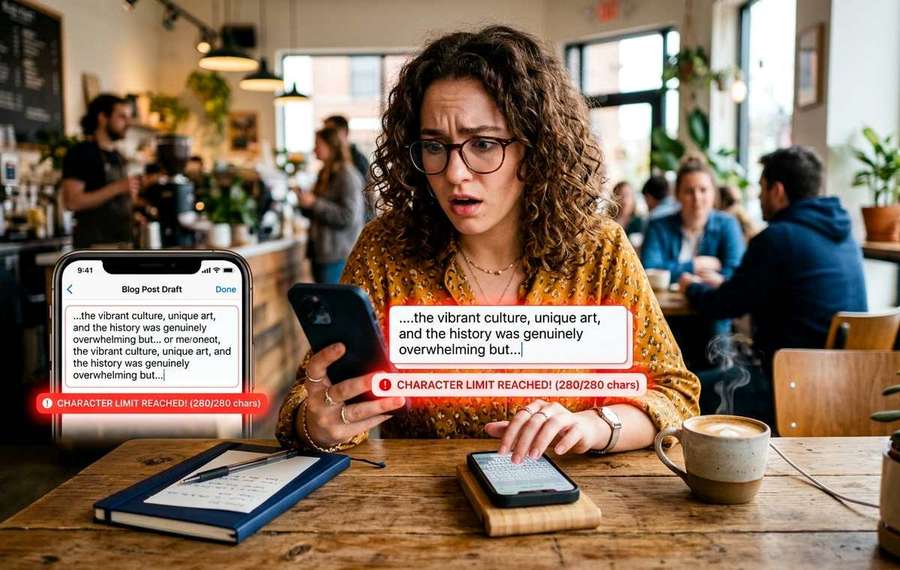
- SMS, WhatsApp, Instagram, and app stores all have hidden character limits that cut your text without warning.
- You type out a thoughtful message, hit send, and half of it disappears.
- On a desktop browser, a character count badge often sits right below the text field.
You type out a thoughtful message, hit send, and half of it disappears. Or you paste a polished Instagram bio only to find the last two sentences got swallowed. Mobile apps are full of character limits that nobody announces clearly, and they hit hardest when you are working on a small screen with no room to preview what is about to get chopped. This is a frustration that power users, community managers, and anyone juggling multiple accounts know all too well.
Key Points:
1. SMS, WhatsApp, Instagram, and app store fields each carry hard character ceilings that differ wildly from each other.
2. Exceeding these limits silently truncates your content or splits it into multiple messages without warning.
3. Pasting text into a character counter before you publish is the fastest way to avoid the cut.
Why Mobile Character Limits Feel Invisible
On a desktop browser, a character count badge often sits right below the text field. On mobile, that feedback gets compressed or removed entirely to save screen real estate. You zoom in to tap, you type, and the interface gives you no clear signal that you are approaching a wall.
The problem multiplies for users who draft content on a desktop or in a notes app and then paste it into a mobile form. What looked fine at 1400 pixels wide can become a mangled fragment on a 375-pixel phone screen. The limit was always there. You just could not see it coming.
SMS: The Oldest Trap in Mobile
What this means for Character Limits on Mobile Apps and
The Short Message Service standard caps a single text message at 160 characters when using GSM 7-bit encoding. That limit dates back to the 1980s and was based on the typical length of a postcard. The engineers behind SMS literally measured postcards.
Modern smartphones handle longer messages by silently splitting them into multiple parts and reassembling them on the receiving end. What feels like one long message is actually two or three SMS segments traveling independently. That matters because:
- Each segment counts as a separate billable message on older carrier plans
- Unicode characters, like emoji, drop the per-segment limit from 160 down to 70 characters
- Business SMS platforms often charge per segment, which can multiply costs fast
Many people manage professional SMS campaigns or customer text notifications without realizing their 200-character message is being delivered as three separate texts. A single emoji in the copy drops the effective limit by more than half.
WhatsApp Status: 700 Characters and Counting
WhatsApp gives you 700 characters for a status update, which sounds generous until you try to paste a formatted announcement with line breaks and emoji. Line breaks count. Emoji count as multiple characters depending on the Unicode code point. A status that reads beautifully in your notes app can arrive at 710 characters and simply refuse to post, with no explanation beyond a generic error.
WhatsApp business accounts face the same limit, which catches marketing teams off guard when they copy from an approved document and paste directly into the app.
Instagram Bio: 150 Characters, Zero Forgiveness
Instagram gives you exactly 150 characters for your bio, and the app is strict about it. Unlike SMS, there is no splitting or workaround. The moment you hit 151 characters, the save button stops working. No error message, no red counter, just a button that does nothing.
For power users managing multiple brand accounts across devices, the Instagram bio is one of the most frequently rewritten fields in mobile marketing. Agency teams often maintain a library of approved bios, but without a character check built into their workflow, they end up doing repeated trial-and-error edits inside the app itself.
App Store Descriptions: The Longest Fields, the Strictest Rules
App stores sit at the other end of the spectrum. Both Apple and Google allow long-form descriptions, but the short metadata fields are tightly constrained.
Here is where the specific limits sit:
- Apple App Store subtitle: 30 characters
- Apple App Store promotional text: 170 characters
- Google Play short description: 80 characters
- Google Play app title: 30 characters
- Apple App Store app name: 30 characters
These fields influence search ranking in both stores, which means ASO (app store optimization) practitioners write and rewrite them constantly. A title that tests well at 29 characters needs to stay at 29. Going over by one character means the store rejects the submission outright during review, and you do not find out until the rejection email arrives, often days later.
The Paste Problem on Small Screens
The root of most character limit frustration is not the limit itself. It is the gap between where content gets written and where it gets published.
Writers draft in Google Docs. Community managers write in Notion. Marketing copy moves through Slack, email, and approval tools before it reaches the app where it actually needs to live. By the time the text gets pasted into an Instagram field or a WhatsApp status box on a phone, no one has counted characters in that specific context.
That gap is where things fall apart. A character counter solves this by letting you paste the text first, check the count instantly, and then trim before opening the mobile app. It takes ten seconds and eliminates the back-and-forth editing inside an app that may be showing you a compressed, hard-to-navigate text field.
Managing Multiple Accounts Across Devices
Power users running several accounts, think a personal Instagram plus two brand accounts, a Google Play developer console, and a handful of business SMS lines, deal with these limits constantly across different apps with different rules. Keeping the limits memorized is impractical when they vary this much between platforms.
A simple workflow that helps:
- Keep a plain text note with the character ceilings for every platform you publish to regularly
- Draft all copy outside the target app, in a tool with a live character count
- Run the final text through a counter before pasting, especially for fields under 200 characters
- Build a short pause before tapping Post or Save on any field where truncation is possible
This adds maybe 60 seconds to a publishing workflow and removes a category of error that is completely avoidable.
When Unicode Makes Everything Worse
Standard Latin characters are one character each. That is the baseline most people assume. But the moment you add emoji, curly quotes, accent characters, or non-Latin scripts, the character count behaves differently depending on the platform.
Some platforms measure in bytes, others in Unicode code points, and others in display characters. A single emoji like a flag can consume two Unicode code points and count as two characters on some platforms. This is why a bio that looks like 148 characters in one tool can show as 152 in another. The underlying encoding rules differ.
Checking text in a dedicated counter that matches the encoding behavior of your target platform is more reliable than trusting the visible character length in your notes app.
The Field You Always Forget
Every developer or content manager has a story about the field they never think about until it fails. App subtitles. SMS sender IDs. Push notification titles. These have character limits too, often stricter than the main content field, and they rarely show a counter in the interface.
Push notification titles, for instance, get cut off at around 50 characters on iOS when the notification drops from the banner. You can write up to 178 characters in some push platforms, but only the first 50 will actually be readable without expanding the notification. That first 50 does all the work.
Staying Ahead of the Cut
The mobile writing experience has improved enormously in the last decade, but character limits remain a friction point because they are inconsistent, platform-specific, and often invisible until you hit them. The 160-character SMS legacy, the 150-character Instagram bio, the 30-character app store title, they all come from different engineering decisions made at different times for different reasons.
What has not changed is the solution: know the number before you paste, not after. Running your text through a counter is a low-effort habit that pays off every time a field rejects your copy at the last second. For anyone publishing across multiple mobile platforms, that one step can save a surprising amount of frustration across a week of work.