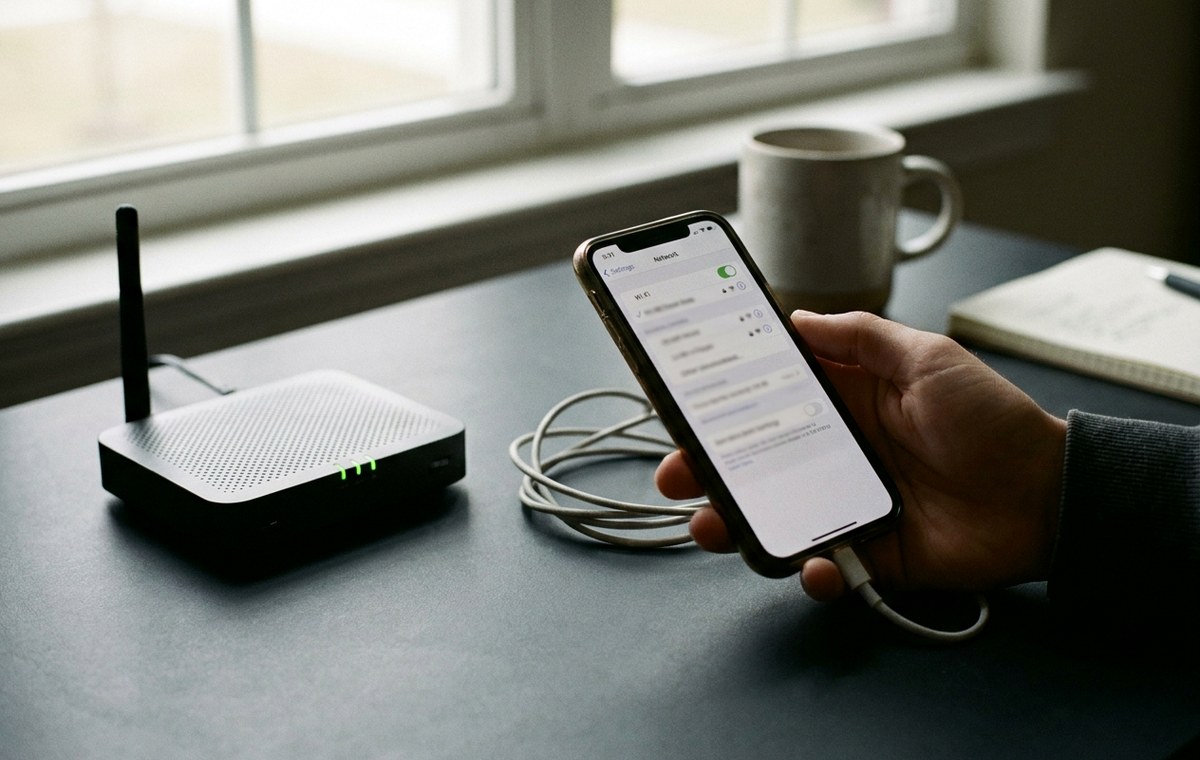
Summary of Why Your Phone Shows a Different IP Address Than Your Router Does
- You open your phone’s Settings, tap through to the network details, and spot an IP address.
- Both Numbers Are Real, But They Describe Different Layers: Your phone’s Settings shows a private address assigned within your local network, while an online checker shows the public address the internet actually sees.– Private IPs like 192.168.x.x only exist inside your home or carrier network and are invisible to the outside world.– Your public IP belongs to your ISP and is shared across many devices through a process called NAT.– Mobile connections add a second layer called CGNAT, meaning your carrier’s address may be shared across hundreds of other subscribers.
- Think of your home network as an apartment building.
You open your phone’s Settings, tap through to the network details, and spot an IP address. Then you check an online tool and get a completely different number. One looks like 192.168.1.45. The other is a string of…
You open your phone’s Settings, tap through to the network details, and spot an IP address. Then you check an online tool and get a completely different number. One looks like 192.168.1.45. The other is a string of digits that shares nothing with it. Both are technically correct. Neither is wrong. They’re just measuring two entirely different things, at two different points in the chain between your device and the internet.
Both Numbers Are Real, But They Describe Different Layers: Your phone’s Settings shows a private address assigned within your local network, while an online checker shows the public address the internet actually sees.– Private IPs like 192.168.x.x only exist inside your home or carrier network and are invisible to the outside world.– Your public IP belongs to your ISP and is shared across many devices through a process called NAT.– Mobile connections add a second layer called CGNAT, meaning your carrier’s address may be shared across hundreds of other subscribers.
Two Addresses, Two Different Jobs — Why Phone Shows Different IP Address
Think of your home network as an apartment building. Every unit inside has its own internal number, say Apartment 4B. But the whole building only has one street address. Your router is the building. Your devices are the units inside it.
The IP your phone shows in Settings is that internal unit number. It is a private address, only meaningful inside your own network. Your router hands these out automatically using a protocol called DHCP. They almost always fall within reserved ranges like 192.168.x.x or 10.x.x.x.
The address the internet actually uses is the building’s street address, your public IP. That one is assigned to your router by your Internet Service Provider. Every request your phone sends to the outside world travels through your router, gets labeled with that public address, and heads out into the internet. The response comes back the same way, in reverse.
What NAT Does and Why It Exists — Why Phone Shows Different IP Address
The technology making all of this possible is called Network Address Translation, abbreviated NAT. It was created partly out of necessity. There are only about 4.3 billion possible IPv4 addresses in existence, and there are far more internet-connected devices in the world than that.
NAT lets a single public IP serve hundreds or even thousands of private devices at once. Your router keeps a translation table in memory. When your phone sends a request, the router notes which internal device originated it, swaps in the public IP, and forwards the packet. When the response arrives, the router checks its table and delivers the data to the right device.
Here is what that process looks like step by step:
- Your phone at 192.168.1.45 requests a web page.
- Your router replaces the source address with your public IP, say 203.0.113.42.
- The web server receives a request from 203.0.113.42 and responds to that address.
- Your router receives the response, consults its translation table, and forwards it to 192.168.1.45.
- Your phone gets the page with no awareness of the swap.
This happens in milliseconds, constantly, for every app running on every device in your home. It is why your Settings screen and an online checker will always disagree.
Mobile Data Adds Another Layer Entirely — Why Phone Shows Different IP Address
If you are on mobile data rather than Wi-Fi, the gap between your Settings IP and your visible public IP gets even wider. Carriers use something called Carrier-Grade NAT, or CGNAT. This is NAT applied at the carrier’s own network level, before traffic even leaves their infrastructure.
Your carrier might assign your phone an address in the 100.64.x.x range, a block reserved specifically for CGNAT use. That address is private within your carrier’s internal network. Then the carrier applies another round of address translation before sending your traffic out to the public internet.
The result is two layers of NAT sitting between your phone and the rest of the world. Your true public IP is something at the carrier’s network edge, and it is often shared among a large number of subscribers at once, sometimes hundreds or more.
This is exactly why doing an IP lookup on a mobile connection reveals an address that looks nothing like anything visible in your phone’s network settings. The ISP name shown might even be your carrier’s wholesale division rather than the brand on your phone plan.
Private vs Public IP at a Glance
Here is a plain comparison of the two types:
- Private IP (what Settings shows): Assigned by your router or carrier internally. Ranges like 192.168.x.x, 10.x.x.x, or 172.16.x.x. Not reachable from the internet. Can be identical across millions of home networks simultaneously.
- Public IP (what online tools show): Assigned by your ISP or carrier at the network edge. Globally unique. This is what web servers, streaming platforms, and VPN providers actually see when you connect.
Why the Difference Matters in Practice — Why Phone Shows Different IP Address
For most everyday use, the two-address system is invisible and irrelevant. Pages load, apps work, videos play. But there are specific situations where understanding your real public IP becomes genuinely important.
Streaming region locks are a common one. A streaming platform detects your IP and decides which regional library to show you. If your carrier’s CGNAT exit point is in a different city or country than where you physically are, the platform might restrict content that should be available to you, or offer content meant for a different market.
VPN troubleshooting is another. If you connect to a VPN and something still seems off, checking your visible public IP tells you whether your traffic is actually routing through the VPN server. If the IP shown still belongs to your ISP rather than the VPN provider, the tunnel is not working as expected.
Here are the specific situations where your actual public IP is worth knowing:
- A streaming service is showing content for the wrong region
- A VPN is connected but behavior seems unchanged
- A website is blocking access and you need to identify which IP is being flagged
- You are configuring a remote access tool and need a stable address to connect to
- A location-based service is placing you in the wrong area
The Inbound Connection Problem With CGNAT — Why Phone Shows Different IP Address
CGNAT works well for outbound traffic, your device requesting things from the internet. The problem appears with inbound connections, when something outside your network needs to reach a specific device inside it.
Hosting a small game server, accessing a home security camera remotely, or connecting to a home NAS from outside your network all typically require traffic to arrive at a specific address. With CGNAT, the carrier’s NAT layer sits in front of everything. An incoming connection arrives at the carrier’s edge, and there is no forwarding rule pointing it toward your device.
Standard port forwarding in your home router cannot solve this on its own because the carrier’s layer sits above it. The most direct fix is contacting your ISP or carrier and requesting a static public IP. Many providers offer this as a paid add-on. For most users it is unnecessary, but for anyone hosting inbound services it is often the only clean solution.
IPv6 Changes the Math Significantly — Why Phone Shows Different IP Address
IPv4 addresses are the familiar dotted numbers like 192.168.1.1. Their scarcity is the reason NAT was invented at all. IPv6 provides a vastly larger address space, enough for every device on earth to have its own globally unique public address many times over.
On IPv6-enabled networks, your phone may actually have a directly routable address with no NAT between it and the internet. In that case, your device address and your public address can be closely related or even the same thing. But IPv6 adoption remains uneven. Many mobile carriers still route IPv4 traffic through CGNAT even when IPv6 is available for other traffic types, so the two-address situation is still the norm for most users checking today.
Why Your Public IP Might Show the Wrong City — Why Phone Shows Different IP Address
Even once you know your true public IP, its location data is an estimate rather than a precise pin. ISPs register address blocks in specific regions based on where their infrastructure is, not necessarily where their subscribers happen to be at any given moment.
A broadband provider might register an entire block from a central data center location, while the actual customers using those addresses are spread across a much wider area. A mobile carrier with a handful of CGNAT exit points might make every subscriber in a region appear to be in one of those exit cities.
This is why a streaming platform occasionally thinks you are in a different place, or why a location-based service gives you results that feel slightly off. The IP address is the best estimate the internet has of where you are, but it works from infrastructure registration records, not GPS.
What Your Settings Screen Is Actually Telling You — Why Phone Shows Different IP Address
The IP address in your phone’s network settings is accurate information. It is just information about a different layer than what online tools report.
On Wi-Fi, it is the private LAN address your router assigned when your phone joined the network. On mobile data, it is the private address your carrier assigned within their own infrastructure, which is itself inside another layer of NAT before it touches the public internet.
Neither reading is a mistake. They describe different points in the same chain. Your Settings screen shows the address closest to your device. An online tool shows the address at the far end of that chain, the one the rest of the internet uses to identify your connection.
The Address the Internet Sees Is One Check Away — Why Phone Shows Different IP Address
The fastest way to cut through every layer and see exactly what the outside world sees is to run a check from the network you want to test. You get your real public IP, your ISP’s name, and your approximate location as the internet understands it. That combination tells you immediately whether a VPN is routing correctly, whether a streaming service should be showing you your home region, and what address any external service is logging when you connect.
The mismatch between your Settings and an online tool was never a bug or a mistake. It is the result of a deliberately layered system built to stretch a limited address space across billions of devices. Now that each layer has a name and a job, neither number will catch you off guard again.
Continue from Why Your Phone Shows a Different IP Address Than Your Router Does:Connectivity,Troubleshooting Your Wifi Hotspot: Solutions to Common Technical Issues, and Top Apps for Your Second Number provide the closest supporting context and next practical step.