Summary of Galaxy S26 Ultra red tint fix is coming: What owners need to know
- Some Galaxy S26 Ultra screens show a red or pink tint, especially at low brightness.
- Samsung has acknowledged the issue and is preparing a software update to fix the display calibration.
- The update is expected to arrive later this month, but no exact date has been announced.
- In the meantime, owners can try adjusting screen mode or color sliders to reduce the tint.
- If the problem is severe, contacting Samsung support for a replacement may be an option.
A red tint problem on a premium screen
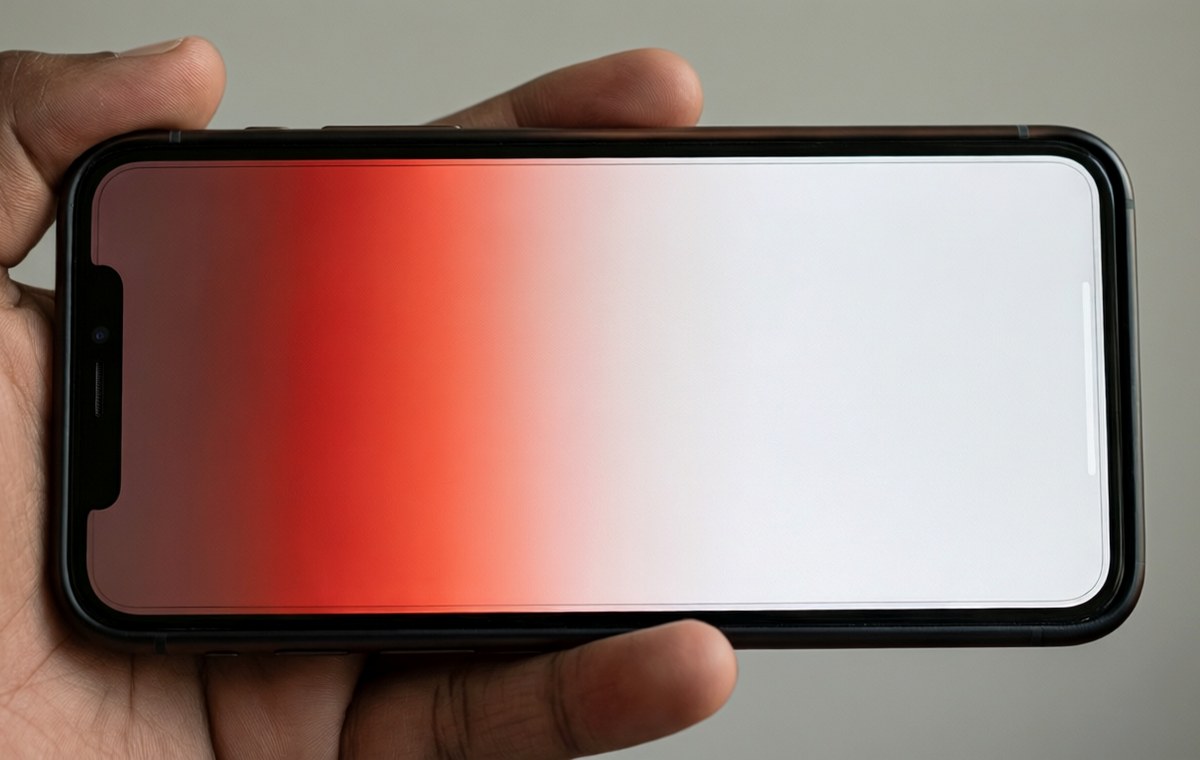
If you picked up a Galaxy S26 Ultra and noticed an odd reddish glow on parts of the screen, you are not alone. A number of owners have reported a red tint issue that makes whites look pinkish or uneven across the display. The problem has been floating around forums and social media for weeks, and now Samsung has acknowledged it publicly.
The company says a fix is coming. But for anyone who spent top dollar on the phone, the wait has been frustrating. Here is what we know about the red tint, what Samsung is doing about it, and what you can do in the meantime.
What the red tint looks like
What this means for Galaxy S26 Ultra red tint fix is coming
The Galaxy S26 Ultra uses one of the most advanced displays Samsung makes. It is bright, sharp, and supports a high refresh rate. But some units show a noticeable red or pink hue, especially near the edges or when the screen is set to lower brightness levels.
This is not a defect that affects every phone. It seems to appear on certain panels, and the severity varies. Some users see a faint warm glow, while others describe a more obvious discoloration that makes whites look uneven. The issue has been called a "red tint plague" by one industry site, which sums up the frustration among early adopters.
For a phone that costs well over a thousand dollars, any display flaw is unwelcome. The Galaxy S26 Ultra is meant to be Samsung's best, and a screen problem like this is notable immediately.
Samsung confirms a fix is coming
Samsung has not made a broad public statement about the red tint, but the company has communicated through support channels and to media outlets. According to information gathered by multiple industry sources, Samsung is preparing a software update that will address the display calibration.
The fix is expected to arrive "soon," though no exact date has been given. One report suggests the update could roll out later this month. That would mean a wait of a few more weeks for owners who have already been dealing with the issue since the phone launched.
It is worth noting that a software fix can only do so much. If the tint is caused by a hardware variation in the OLED panel, a calibration update might reduce the visible effect but not eliminate it entirely. Samsung has not said whether it will offer replacements for severely affected units.
What you can do right now
While you wait for the official update, there are a few things you can try to make the screen look more natural. These are not permanent fixes, but they might help reduce the red tint in the short term.
- Adjust the color balance: Go to Settings > Display > Screen mode and try switching from Vivid to Natural. You can also fine-tune the white balance by sliding the color sliders away from red.
- Turn off adaptive brightness: Some users report the tint is more visible when the phone automatically adjusts brightness. Try setting brightness manually to a fixed level.
- Check for updates: Even though the main fix is not out yet, Samsung may have pushed smaller patches. Go to Settings > Software update and tap Download and install to make sure you are on the latest version.
If the tint is very strong and these steps do not help, you may want to contact Samsung support directly. Some owners have received replacement units after complaining, though results vary by region and carrier.
Should you wait or act now?: Galaxy S26 Ultra
The Galaxy S26 Ultra is a powerful phone with a lot going for it. The camera system, performance, and battery life are all top-tier. But a display issue on a phone this expensive is a real letdown, especially when the screen is one of the main selling points.
If you have not bought the phone yet, you might want to wait until the fix is out and confirmed by early adopters. The Galaxy S26 Ultra specifications and review page has more details on what the phone offers, but the red tint issue is something to keep in mind before you commit.
For current owners, the best advice is patience. Samsung has acknowledged the problem and is working on a solution. That is more than some companies do. The update should arrive within weeks, and once it does, the screen should look the way it was meant to.
If you are comparing the S26 Ultra with other flagships, the phone comparison tool can help you weigh the pros and cons. You can also browse the best phones list to see how it stacks up against rivals. For more on Samsung's lineup, check out the Galaxy S26 specifications and review page.
And if you are concerned about other potential issues after buying a new phone, our mobile security guides cover how to check for problems and protect your data.