Summary of Android Photo Picker now lets you choose: Share location or keep it private
- A new Photo Picker API lets you choose whether to include location data in photos you share with apps.
- Your choice is remembered per app, so you won't be asked again unless you change your mind.
- A new location info button in the bottom right corner lets you revoke or regrant access anytime.
- The update is part of the August 2026 Mainline update and will reach devices through Google Play Services.
- Previously, location data was stripped by default; now you have control over every shared photo.
What the new Photo Picker API does differently
Most of us tap "share" without a second thought. That photo of your backyard barbecue or your dog at the park seems harmless. But tucked inside that picture file is something you might not see: a small set of data called EXIF metadata. This often includes the exact latitude and longitude where the photo was taken.
Until now, Android's built-in Photo Picker— the screen that pops up when an app asks you to choose an image — quietly stripped that location data out by default. That was great for privacy, but it meant that apps which actually needed your location for a useful feature couldn't get it.
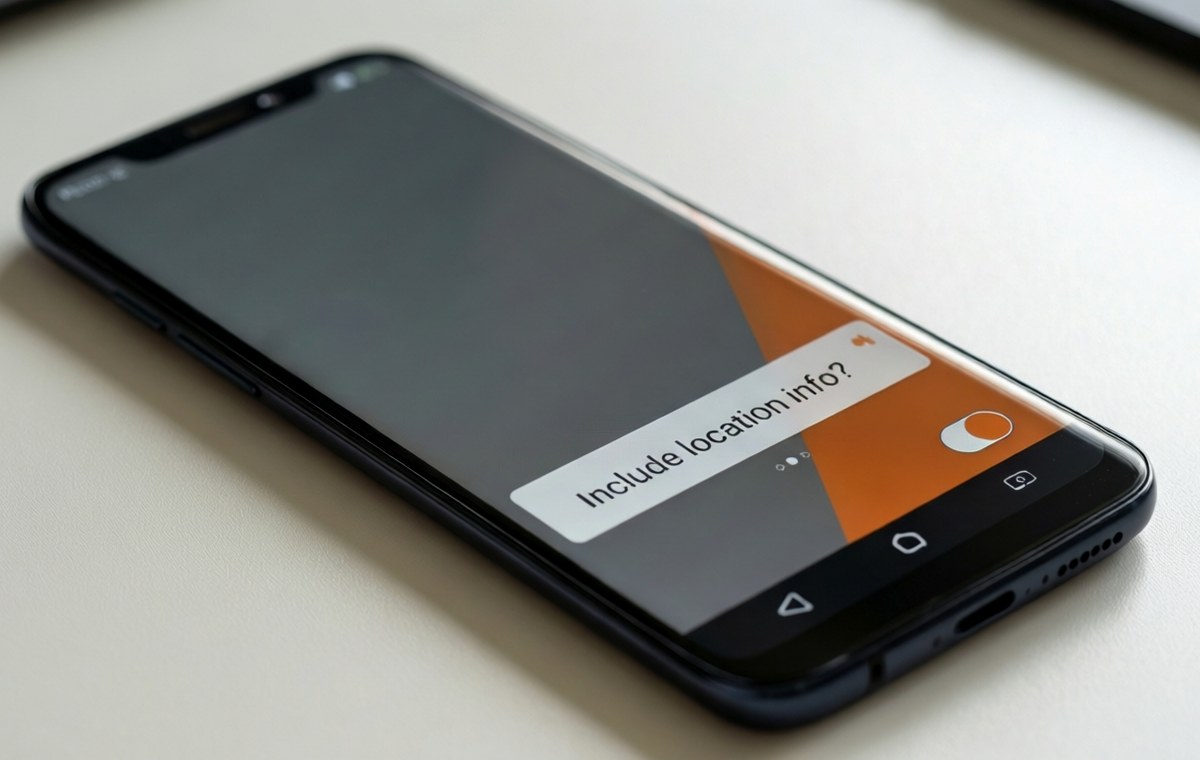
Google has announced a change that lands in the August 2026 Mainline update. A new Photo Picker API will hand control back to you. You will see a simple question when you share a photo:"Include location info?"
This is not a small tweak. It changes who holds the keys to your location data. And it puts a new button right in your face so you never forget it is there.
Choose once, change anytime
What this means for Android Photo Picker now lets you choose
The core idea is simple. The old version of the Photo Picker removed location data from every photo you shared. The new version asks you what you want.
When you select photos and tap share, a prompt will appear:"Include location info?"
- Don't include— Your EXIF location data is removed, just like before.
- Include— The location stays in the file, so the app can read it.
The system remembers your choice for each app. If you tell a mapping app you want to include the location, it won't ask again the next time. But you are not stuck with that choice forever.
Google's Mishaal Rahman, who manages community engagement for Android at Google, shared the news on Reddit. He explained that this fixes a "common pain point" for app developers. Some apps, like those that help you sort travel photos or find nearby landmarks, genuinely need location data to work. The old blanket removal broke those features.
A button that puts you in control
This is where the practical benefit really shows up. You can change your mind later without digging through menus.
Look at the bottom right corner of the Photo Picker interface. You will see a new location info button. Tap it. You can revoke location access for an app or grant it again, all from that one spot.
That means:
- If you told a social media app you wanted to include location and later regret it, one tap turns it off.
- If you blocked location for a travel app and now need it, one tap turns it back on.
- You never have to hunt through Settings or remember where a toggle lives.
It is a small change to the interface, but it changes the daily privacy decision from "I hope the app strips this" to "I know exactly what I am sharing."
When will you see this change?
This feature is not on your phone yet. Google says it is part of the August 2026 Mainline update.
Mainline updates are system components that Google can push through Google Play Services. That means you don't have to wait for a full operating system upgrade or a phone manufacturer to send a firmware patch. When the update is ready, it should arrive directly to your device.
The announcement was aimed at developers first. Apps need to adopt the new API to show the location prompt. If a developer does not update their app, the old behavior — stripping location data entirely — will continue. But as more apps adopt the new API, you will see this prompt more often.
Timing is everything. Google announced this just as the Pixel 11 phones are hitting retail shelves. New Pixel owners will likely be among the first to see the update. But any Android phone that supports Mainline updates should get it eventually.
How this affects your daily sharing habits
Think about the apps you use every day. A photo-editing tool probably does not need your coordinates. But a restaurant review app or a travel diary absolutely does.
Here is a quick comparison of how your data used to be handled versus how it will be handled:
| Situation | Old Photo Picker | New Photo Picker |
|---|---|---|
| You share a photo with a social app | Location removed silently | You get a prompt; you choose |
| You share a photo with a travel app | Location removed; app cannot use it | You can say yes; app works |
| You change your mind about an app | No easy way to adjust | Tap the location info button |
| Your choice is remembered | N/A (no choice existed) | Yes, per app |
| Privacy by default or by choice? | Default | Your choice, per app |
The upside is clear: you get more utility from apps without giving up privacy forever. The trade-off is that you now have one more decision to make every time you share a photo. For many people, that is a price worth paying for knowing exactly what leaves their phone.
A simple change that puts you back in charge: Android Photo Picker
Privacy is not a one-time setting. It is a series of small, everyday decisions. Google's update to the Photo Picker does not take the decision away from you — it puts it in front of you, where it belongs.
The change is coming soon with the August 2026 Mainline update. When it arrives, you will have a new button in the corner of your screen and a simple question before your pictures leave your phone. That is a small but meaningful step toward giving you real control over your own data.
For more on protecting your privacy, check out our mobile security guides. If you want to compare how different phones handle privacy features, use our phone comparison tool. And for the latest on new apps that might take advantage of this API, keep an eye on our mobile apps coverage.