Summary of Android has a hidden update menu: How to find it and what it does
- A hidden System services menu inside your Google account settings lists updates for core Android components such as WebView and Play Services.
- On a Pixel, go to Settings, tap your Google account, then All services > Privacy & security > System services. On other phones, use Settings > Google > All services > System services.
- Updates installed from this menu take effect without a restart, but the menu does not give early access to unreleased features or bypass staged rollouts.
- The August 2026 update cycle included new Google Play Store features, WebView security fixes, and improvements to tap-to-share and location sharing.
- Android currently requires four separate places to check for updates: OS updates, Play system updates, Play Store, and System services.
Android has a hidden update screen you have likely never opened
You check the Software Update section. You open the Security and privacy panel. You tap into the Google Play Store and refresh the app list. You are doing everything Google asks, and you still might be missing several critical updates for your Android phone.
There is a hidden update menu that many Android users have never opened. Tucked inside your Google account settings, this page lists system-level components such as Android System WebView, Google Play Services, and Private Compute Services. These are the parts of Android that handle account authentication, location services, and even how apps display web content. If they are out of date, your phone may miss important security fixes or performance tweaks.
One writer at a mobile news site discovered the menu by accident after years of using Android phones. He found updates waiting for components that he thought were already current. The phone had never notified him about them, and they did not appear in the usual update panels. He now treats this hidden screen as another regular stop in his update routine, checking it almost every other day.
How to find the hidden System services update page
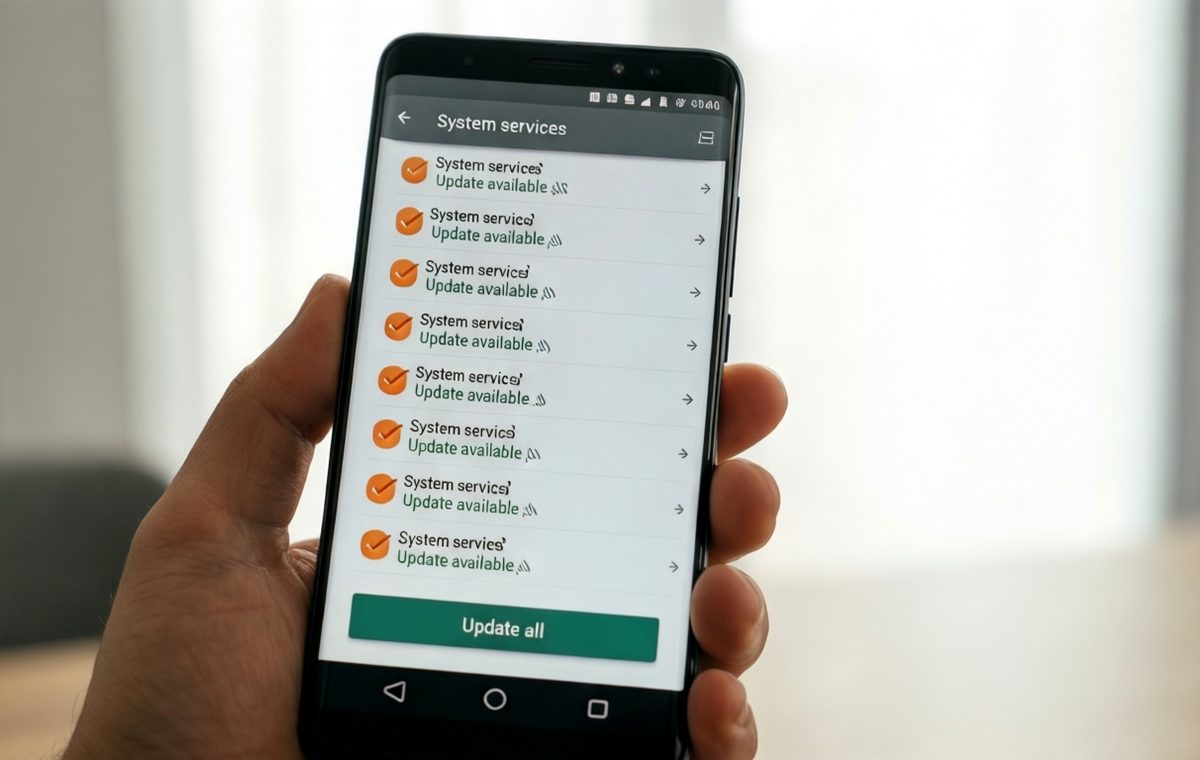
On a Google Pixel, open Settings and tap your Google account name at the very top. From there, go to All services, then Privacy & security, and finally System services. On other Android phones, you can open Settings, tap Google, then All services, and select System services under the Privacy & security section.
Once you are inside, the page shows a list of Google-managed components. Each one has a status line telling you whether it is up to date or has a pending update. If updates are available, you can install them directly from this screen. The changes take effect without requiring a restart.
The exact list of components will vary by device, but you can expect to see items such as Android System WebView, Google Play Services, Private Compute Services, Android System Intelligence, and Device Health Services. All of these are part of the group Google calls the “Google System.”
What this menu can and cannot do for your phone
The hidden menu is not a magic door to unreleased features. It cannot bypass compatibility checks or staged rollouts. It does not give you early access to new Android capabilities that Google has not approved for your phone yet.
What it does do is let you install the latest publicly available build of each system component that Google has prepared for your device. Instead of waiting weeks for the background automatic update to arrive, you can grab the current version right now. The update process uses the same official packages Google delivers through its normal channels; you are simply skipping the wait.
According to Google, these system services are supposed to update automatically in the background with security patches or OS updates. The writer of the discovery piece checked multiple Android phones and found that automatic updates did not always keep everything current. His phones were missing updates for core components even after he had checked all the other usual places.
What the August 2026 update cycle brought to Android
Every month, Google publishes release notes detailing what has changed across the parts of the “Google System.” The August 2026 update cycle included fixes and features spread across several components. The official changelog lists updates for Google Play services, Play Store, Android WebView, Android System Intelligence, Private Compute Services, and Android AICore.
Some of the highlights from the August 2026 Google System Release Notes included:
Google Play services v26.33 (2026-08-24)
- New developer features for Utilities and Device Connectivity related processes on phone.
- On PC and phone, you can now access your phone apps from Googlebook.
- Wallet tile actions now appear in Onboarding Companion.
Google Play Store v52.9 (2026-08-24)
- A chip on Home and Search now highlights quality apps on large screen devices.
- You can watch app and game video highlights directly within Ask Play.
- App Bundles let you discover and install curated sets of complementary apps after you download an app on Google Play.
- Google Play Protect improves detection of potentially harmful apps.
Android WebView v152 (2026-08-12)
- Improvements to security and privacy, plus bug fixes.
- New developer features for displaying web content in apps.
Other updates from August include bug fixes for Developer Services, more accurate workout routes on Wear OS through server-side processing, maintenance changes for Android System Intelligence and Private Compute Services, and the ability to share files and contacts with nearby devices using tap gestures.
Not every changelog entry means the feature is widely available. Google notes that some capabilities can take months to fully launch across all devices.
Android updates should not require four different menus
Keeping an Android phone fully updated currently requires checking at least four separate places: the Software Update page for OS and security patches, the Google Play system update panel, the Google Play Store for app updates, and now this hidden System services menu. That fragmentation feels unnecessary for something as basic as system maintenance.
The writer who uncovered the hidden menu described his frustration: “It feels ridiculous to check four places on one phone to make sure it's fully updated.” Until Google builds a proper unified update dashboard, that fragmented experience will likely continue.
For now, the best you can do is add the System services screen to your regular update routine. Together with the other update tools Google provides, you have a way to stay current without waiting weeks for automatic updates to decide to show up. No special permissions or risky workarounds are needed—just a few extra taps in a menu you probably never knew existed.
If you want to dig deeper into how we evaluate phones and their update practices, you can read our review methodology page. For a broader look at the best phones available right now, check out our best phones guide. And if you are thinking about switching ecosystems entirely, you might also want to read our original iPhone review to see how Apple's approach compares.